
Clone Token
Copy an existing token’s metadata into a new draft, then configure the network and settings for your own launch.
Choose the source
Paste the source token address on the Clone Token page.
Or select the Clone Token button on an existing Proxima Live or Draft launch.
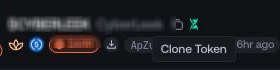
Both paths load the available public metadata into the same clone form.
Review the prefilled details
Review name, symbol, description, image and social links. Edit them for the new launch.
Choose the new launch route
Recheck network, launchpad, quote and route-specific options. Source settings may not suit the new route.
Create the cloned draft
Select Clone Token. Proxima creates a separate launch draft and opens its Launch Settings page. The source token and launch stay unchanged.
